

Rediscover your
photos & videos
Browse, search, tag and organize the photos and videos already on your computer in a beautiful, fast and completely private desktop app.
Works 100% offline. Download for free.
Free for 1 library of 10,000 photos and 1,000 videos · Unlock unlimited for $29
Simple setup
No external dependencies. Just run it, point it at a folder and start browsing immediately.
Powerful search
Filter by tag, rating, resolution, duration or your own custom fields to instantly find any image or video in your library.
Completely private
Everything runs on your machine. No cloud, no account, no tracking. Your photos, videos and data never leave your device.
Built for local galleries
Give your media collection the presentation it deserves. Say goodbye to clunky file explorers, insecure cloud services and complicated self-hosting setups. Loshelf makes browsing and organizing your local photos and videos a pleasure.
Find out more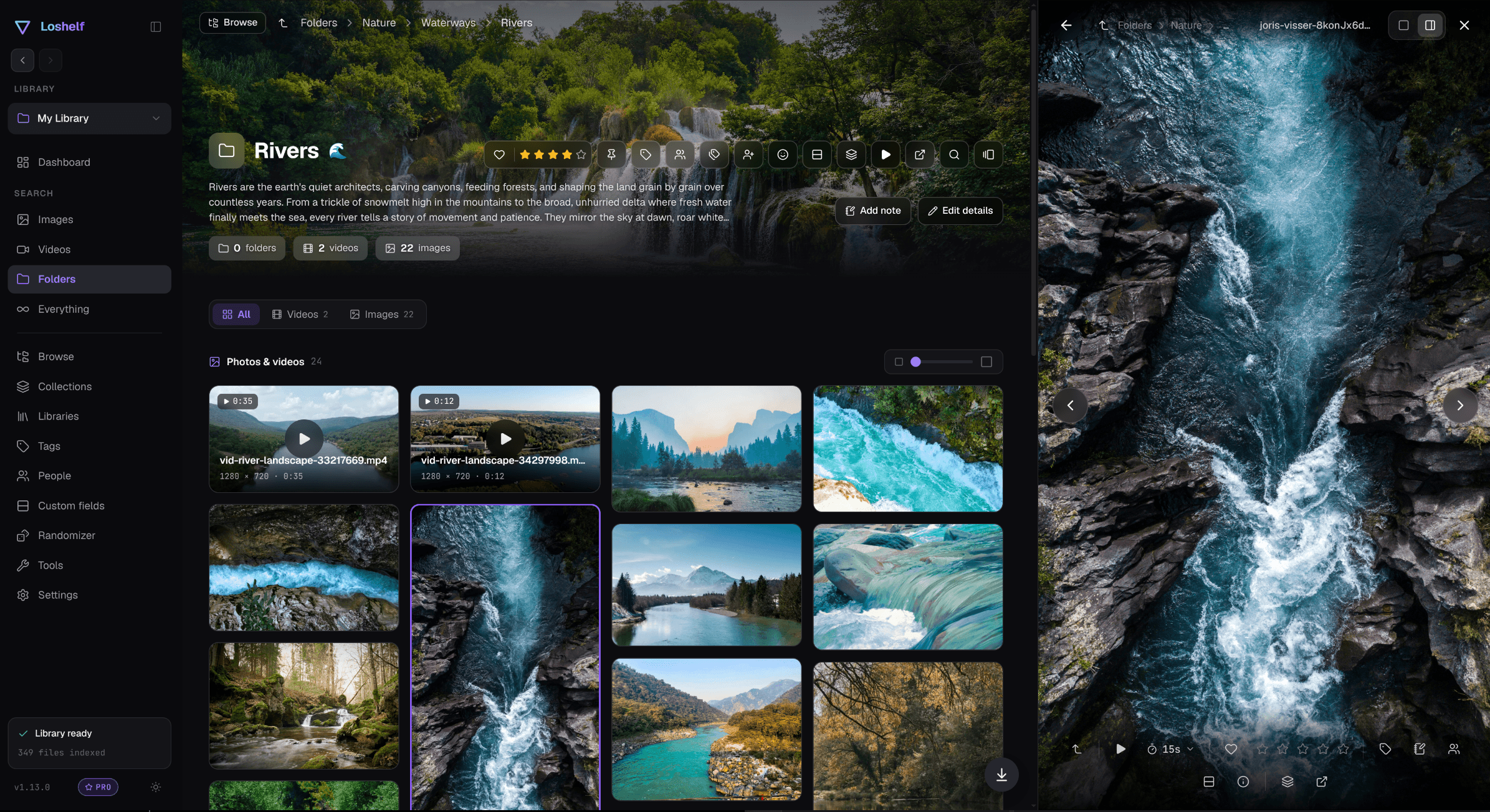
Optimized for collections of any size
From a handful of albums to millions of files across terabytes, Loshelf stays fast and organized. Keep track of it all through your customizable dashboard.
Find out more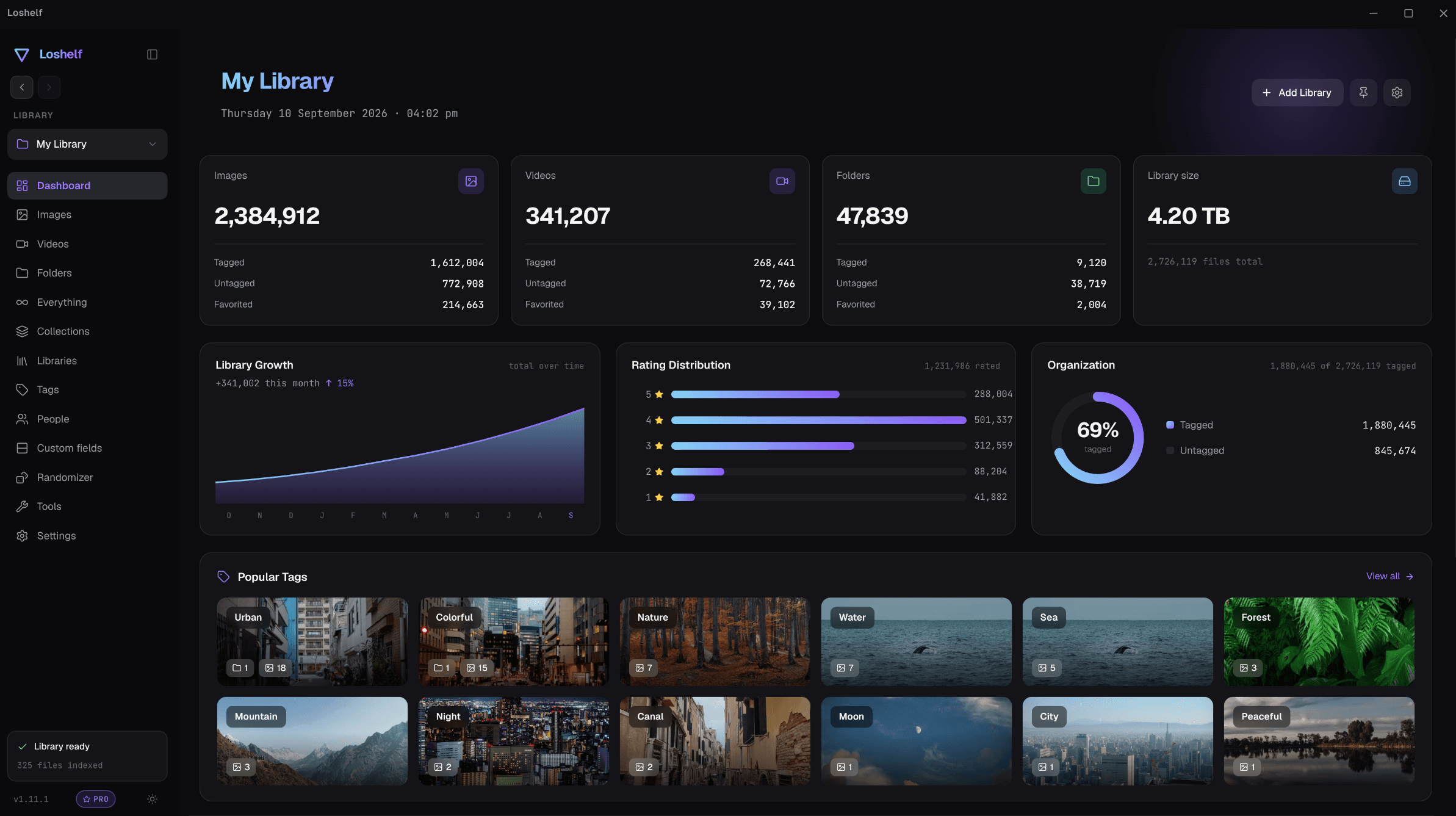
First class video
Search and browse video results in a grid or a list, hover over any card to see a preview, and watch everything in a capable built-in video player with the ability to pin a note or tag to any moment. Your video library is finally browsable.
Find out moreOrganization made easy
Assign cover images, descriptions, tags and even symbols to any folder to make organizing your library a breeze.
Find out more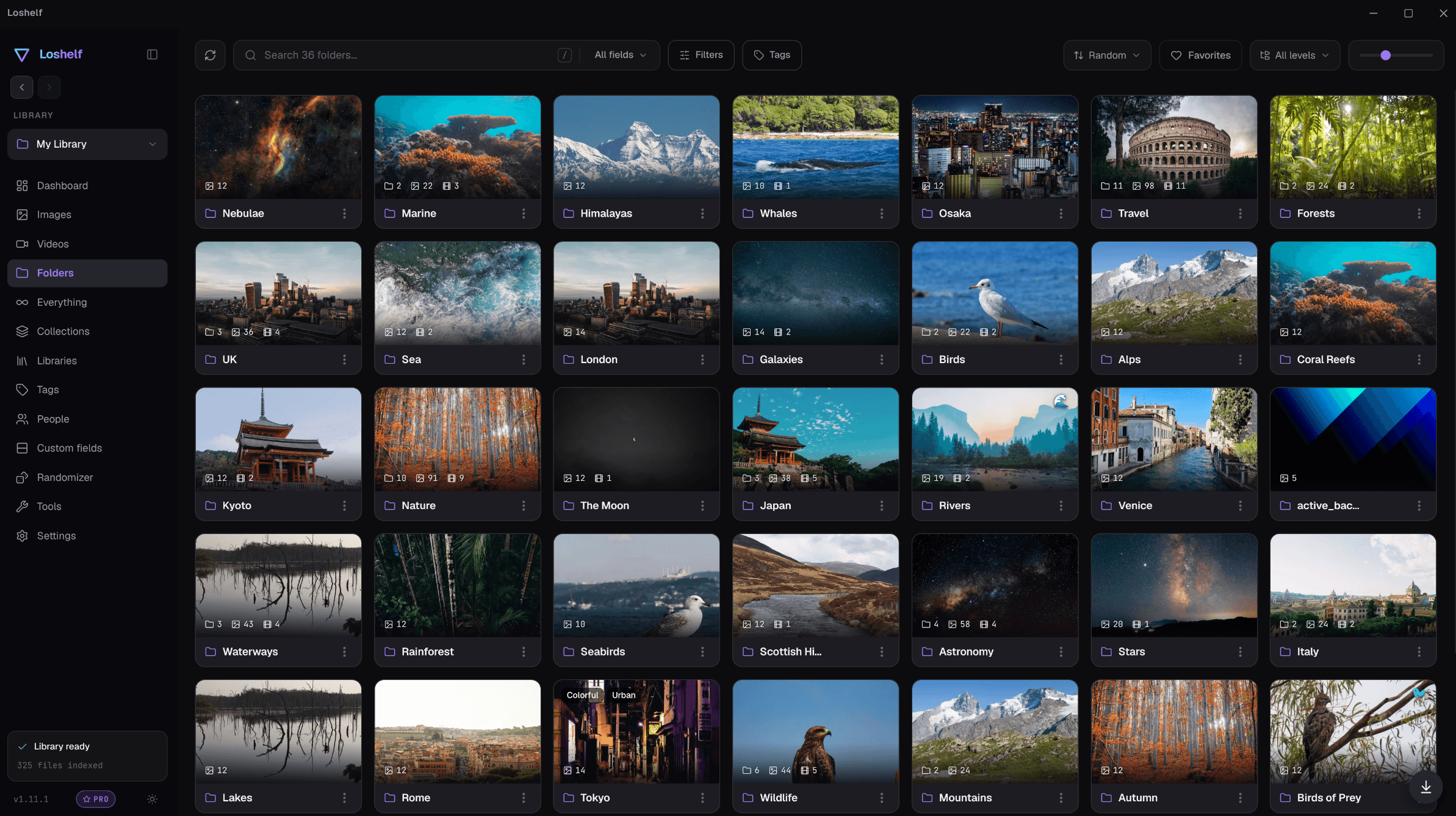
Loshelf works 100% offline.
Unlike other apps that claim to work offline but require an account and make you connect to the internet regularly to check your license, Loshelf runs fully offline. The only time the app ever makes a network request is to check for updates, which you can switch off in Settings.
Download Loshelf for your desktop
A single download, no sign-up. Every feature is free for a single library of up to 10,000 photos and 1,000 videos. Go unlimited for a one-time $29. Activate offline.
Frequently asked questions
A library is just a folder on your computer that contains your media. You can pick any folder you like to be a library.
Only if you need more than one library, or more than 10,000 photos or 1,000 videos. Every feature is available in the free version so there is no need to upgrade if you have a small library.
No. Loshelf runs offline, entirely on your computer. Your photos, videos and data never leave your device.
Loshelf works directly with your existing folders and never modifies your originals on its own. If you choose to delete a file from inside Loshelf, it goes to your system Recycle Bin, so it stays recoverable.
Loshelf stores the database and other files inside a hidden .loshelf folder in each library, so moving the whole library to a different location or machine won't lose your tags and other data.
Simply rescan your library and Loshelf will usually be able to detect moved files so you won't lose assigned tags or other data.